
How to Use Pharmacy Apps to Track Potential Drug Interactions
Every year, over 1.3 million people in the U.S. are injured because of medication errors. Many of these happen because someone took two drugs that shouldn’t be mixed - like blood thinners and certain painkillers, or antidepressants with herbal supplements. It’s not always obvious. That’s where pharmacy apps come in. These aren’t just handy tools - they’re lifesavers for anyone taking more than a few medications.
Why Drug Interactions Matter
You might think you know what you’re taking. But when you’re on five or six pills a day - prescriptions, over-the-counter meds, vitamins, and herbal supplements - it’s easy to miss something. A common cold medicine with pseudoephedrine can spike your blood pressure if you’re already on a beta-blocker. St. John’s Wort can make birth control fail. Even grapefruit juice can turn a cholesterol drug into a dangerous toxin. The problem isn’t just confusion. It’s complexity. The average American over 65 takes five or more medications. That number jumps to eight for those in long-term care. With so many combinations possible, even experienced doctors and pharmacists can miss a risky interaction. That’s why using a reliable pharmacy app isn’t optional anymore - it’s essential.How Pharmacy Apps Work
These apps don’t guess. They use massive, constantly updated databases with over 6,000 drug monographs. When you enter your medications, the app checks every possible pairing. It doesn’t just say “possible interaction.” It tells you:- What kind of interaction it is (contraindicated, major, moderate, minor)
- What symptoms to watch for
- What alternatives exist
- How to manage the risk
Top Pharmacy Apps Compared
Not all apps are created equal. Here’s how the main players stack up:| App | Max Medications Checked | Offline Access | Pill ID Accuracy | Free Version | Best For |
|---|---|---|---|---|---|
| Epocrates | 30 | Yes | 92% | Yes (limited) | Speed and ease of use |
| Lexicomp | 50+ | Yes | 89% | No | Hospitals, complex cases |
| UpToDate | 50+ | Yes | 88% | No | Clinical context and overdose protocols |
| Drugs.com | 30 | Yes | 85% | Yes (full) | Patients, budget users |
| Medscape | 30 | Yes | 87% | Yes (limited) | Doctors needing disease info |
Epocrates leads in speed and simplicity. It’s the go-to for busy clinicians who need a fast answer. Lexicomp and UpToDate are the heavyweights - they’re used in hospitals because they catch more subtle interactions and include data on IV compatibility, pharmacogenomics, and overdose treatment. Drugs.com is the best free option for patients - no paywall, no ads in the interaction checker, and FDA alerts built in.
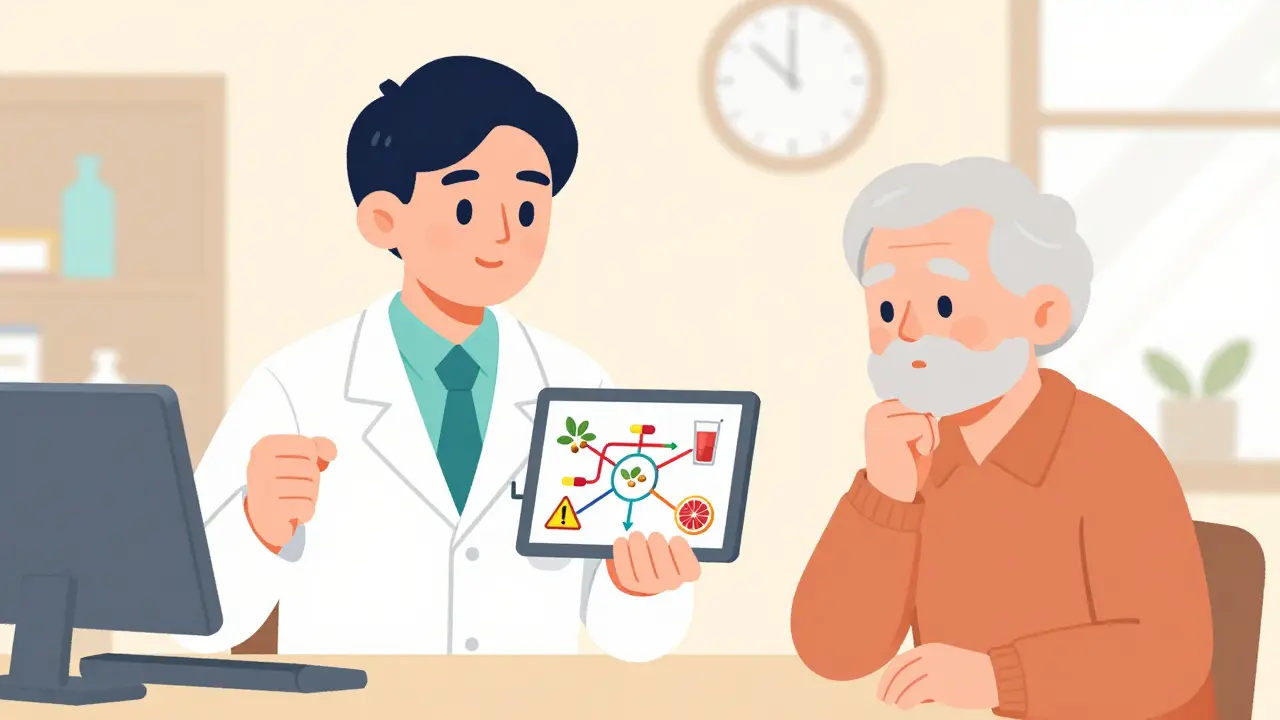
How to Use These Apps Effectively
Using an app isn’t enough. You need to use it right. Here’s how:- Enter everything - not just prescriptions. Include OTC meds like ibuprofen or antacids, supplements like magnesium or fish oil, and even herbal teas. Many dangerous interactions come from “natural” products.
- Update it regularly - every time you start or stop a medication. Don’t wait. New interactions are discovered every week.
- Check before you take - don’t wait until you feel sick. Run a check before adding any new drug, even if your doctor prescribed it.
- Use two apps if you’re high-risk - if you’re on more than five medications or have kidney or liver disease, cross-check with a second app. A 2023 JAMA study found that 28% of drug pairs had conflicting severity ratings between apps.
- Share the report - screenshot or print the interaction summary and bring it to your pharmacist or doctor. They’ll thank you.
Some apps now let you add notes - like “I take this with food” or “I have a history of low blood pressure.” These personal details help the app give smarter warnings. Epocrates and UpToDate even let you record your health conditions so they can predict how your body might react.
What to Watch Out For
Free apps are tempting, but they’re risky. A 2022 Stanford study found consumer apps missed 30-40% of serious interactions. Drugs.com is an exception - it’s free and reliable. But even it doesn’t include advanced data like pharmacogenomics or IV compatibility. Also, don’t trust apps that don’t say where their data comes from. The best ones use databases from Wolters Kluwer, Micromedex, or the FDA. If the app doesn’t name its source, skip it. And watch for ads. Apps with pop-up ads during interaction checks are dangerous. A nurse in Ohio reported nearly missing a life-threatening interaction because an ad covered the warning screen. Stick to apps with clean interfaces.What’s New in 2025
The field is moving fast. In 2025, apps started using AI to predict interactions before you even enter a drug. Epocrates now uses machine learning to flag risks based on your age, kidney function, and other conditions. MySeniorCareHub launched a version specifically for older adults, adjusting for slower metabolism and reduced liver clearance. Augmented reality pill scanning is now live in the Pill Identifier & Med Scanner app. Point your camera at a pill, and a 3D model pops up with its name, dose, and known interactions. It’s not perfect - accuracy is around 90% - but it’s a big leap forward. The FDA’s Drugs@FDA Express app now tracks new drug approvals weekly. If a new medication hits the market with a known interaction risk, you’ll see it in your app within days - not months.
Who Should Use These Apps
If you’re taking more than three medications - whether you’re 25 or 75 - you should use one. It’s not just for seniors. Young adults on antidepressants, birth control, and painkillers are at risk too. Caregivers managing a parent’s meds? Essential. Nurses, pharmacists, and doctors? They use these daily. The data doesn’t lie: hospitals that adopted Lexicomp saw a 25% drop in medication errors. Independent pharmacies using Epocrates cut dispensing mistakes by 30%. Patients who checked their meds with Drugs.com reported 40% fewer side effects. This isn’t tech for tech’s sake. It’s a safety net. And like a seatbelt, you don’t notice it until you need it.Getting Started
Start simple. Download Drugs.com - it’s free, reliable, and has no ads in the interaction checker. Enter your current meds. Run a check. Look at the results. Then add one new medication - maybe a new OTC pain reliever - and check again. If you’re a healthcare provider, try Epocrates. It’s fast, accurate, and the free version is good enough for most daily use. Upgrade if you need advanced features. Don’t wait for a mistake to happen. Set a reminder: every Sunday night, open your app and check your list. It takes less than two minutes. But it could save your life - or someone else’s.Can pharmacy apps replace my pharmacist?
No. Pharmacy apps are powerful tools, but they don’t replace professional judgment. Pharmacists can spot subtle issues an app might miss - like how your diet, liver function, or other health conditions affect a drug. Use the app to prepare for your pharmacy visit, then talk through the results with your pharmacist. They’ll help you decide what to change.
Are free apps safe to use?
Some are, some aren’t. Drugs.com is one of the few free apps with a comprehensive, accurate interaction checker and no ads in the critical sections. Other free apps often miss major interactions or hide warnings behind pop-up ads. Stick to apps backed by trusted sources like the FDA, Wolters Kluwer, or Epocrates. If the app doesn’t say where its data comes from, don’t trust it.
Do these apps work without internet?
Yes - most professional apps like Epocrates, Lexicomp, and UpToDate download their databases to your phone so you can use them offline. That’s crucial in emergencies or places with poor signal. Just make sure to update the app while connected to Wi-Fi at least once a week. Consumer apps like Medisafe often require internet, which can be a problem.
How often should I update my medication list in the app?
Every time you start, stop, or change the dose of any medication - including supplements and OTC drugs. Don’t wait until your next doctor visit. New interactions can appear overnight, especially with new prescriptions. Set a weekly reminder to open the app and review your list. It takes two minutes, but it prevents mistakes.
Can I use these apps for my elderly parent?
Absolutely. In fact, they’re especially helpful for seniors who take multiple drugs. Apps like Medisafe and mySeniorCareHub let caregivers sync their accounts to monitor a parent’s meds remotely. You can get alerts if a dose is missed or if a new interaction is flagged. Just make sure the app allows multiple users and has a simple interface - no complicated menus.
Namrata Goyal
March 24, 2026 AT 05:48lol so we’re supposed to trust apps written by people who can’t even spell ‘pharmacology’ right? 🤡
Every time I see one of these ‘life-saving’ apps, I think about how my cousin took 3 pills and ended up in the ER because the app said ‘minor interaction’ and the doc said ‘you’re lucky you’re alive.’
These apps are just corporate marketing wrapped in a UI that looks like it was designed in 2008.
And don’t even get me started on ‘Drugs.com’ - that site has ads for ‘miracle weight loss tea’ right next to the interaction checker.
Real safety? Talk to your pharmacist. Not some algorithm trained on data scraped from a blog that says ‘St. John’s Wort cures depression and also makes your pee glow.’
Caroline Bonner
March 25, 2026 AT 11:49Oh my gosh, I just had to comment because this article is SO IMPORTANT - I mean, seriously, how many of us are out there juggling prescriptions, OTC meds, supplements, and herbal teas without even realizing we’re playing Russian roulette with our liver? 🥹
My mom is 72 and takes eight different things - including turmeric, magnesium, melatonin, and that ‘heart-healthy’ fish oil everyone swears by - and guess what? She didn’t know that fish oil + warfarin = potential internal bleeding risk. We set up Drugs.com together last week, and it flagged a moderate interaction with her blood pressure med that her pharmacist had missed for TWO YEARS. I cried. I was so proud of her for taking action.
And yes, I agree with the point about using TWO apps - I now use Epocrates AND Drugs.com side by side. I screenshot everything, print it, and bring it to every appointment. My doctor said I’m the ‘model patient’ now. 🎉
Also, the pill scanner? LIFE CHANGER. I scanned a random blue oval pill last month - turned out it was a generic version of a med I’d never taken before. Turns out it had a dangerous combo with her thyroid med. We called the pharmacy immediately. I’m not exaggerating - this saved her life. Please, everyone, just download one. It takes two minutes. You won’t regret it. 💙
peter vencken
March 25, 2026 AT 14:17bro i’ve been using epocrates since med school and it’s still the best. free version? solid. no ads, no bs. i work in a rural clinic and we got zero wifi half the time - offline mode saved us more than once.
also side note: the ‘scan your pill’ feature? game changer. saw a guy come in with a bottle of ‘vitamin d’ that was actually a low-dose antihistamine. he thought it was from his cousin. turned out his cousin had switched bottles. we caught it before he took it. no app, no clue.
ps: drugs.com is legit for patients. no hype, no paywall. just facts. i tell all my patients to use it. it’s like the wikipedia of med info - messy but reliable.
Chris Crosson
March 26, 2026 AT 22:31I’m a nurse and I use all three - Epocrates, Lexicomp, and Drugs.com. But here’s the thing nobody talks about: the apps don’t know your patient’s history. They don’t know if someone’s been on a med for 10 years and their liver adapted. Or if they’re a vegan who eats grapefruit every morning. Or if they’re on a keto diet that’s altering their metabolism.
That’s why I always cross-check. And I always ask: ‘Have you changed your diet? Your sleep? Your stress levels?’ Because that’s where the real risks hide.
Also - if you’re on more than five meds, you need a med manager. Not just an app. A person. Someone who knows your story. Apps are tools. Not replacements. I’ve seen too many patients get scared by an app warning and quit their meds cold turkey. That’s worse than the interaction.
Linda Foster
March 28, 2026 AT 05:11While the utility of pharmacy applications in mitigating adverse drug events is undeniably significant, one must exercise rigorous discernment regarding their methodological integrity and data provenance. The empirical evidence cited in this exposition is compelling, yet the absence of peer-reviewed validation for proprietary algorithms remains a salient concern. Furthermore, the integration of unregulated third-party databases into consumer-facing interfaces may inadvertently propagate systemic inaccuracies. I would therefore recommend that users consult primary pharmacological literature, such as that published in the Journal of Clinical Pharmacology, prior to relying exclusively upon algorithmic outputs.
Rama Rish
March 29, 2026 AT 10:31my grandma uses drugs.com. no ads. simple. works offline.
she cant read tiny text but the app lets her zoom. she scans pills with her phone.
we set it up together. now she tells me if something feels weird.
small thing. big difference.
Chris Farley
March 29, 2026 AT 19:22Who the hell lets a phone tell them what to take? This is why America’s dying. We outsource our brains to apps because we’re too lazy to read a damn pamphlet.
Back in my day, we had pharmacists. Real people. With degrees. Not some Silicon Valley coder who thinks ‘92% accuracy’ is good enough.
And now we’re supposed to trust an app that says ‘grapefruit juice is fine’ because it didn’t update its database since 2020?
Next thing you know, we’ll be letting TikTok prescribe our insulin.
Stop. Using. Apps.
Darlene Gomez
March 30, 2026 AT 22:15I love how this article doesn’t just say ‘use an app’ - it says ‘use it right.’ That’s the difference between tech that helps and tech that harms.
One of my patients, a 68-year-old retired teacher, started using Epocrates after her husband passed. She was overwhelmed, scared, and alone. We sat together and entered every pill, every supplement, even the chamomile tea she drinks every night. The app flagged a moderate interaction between her blood thinner and the tea - something her doctor had never mentioned.
She called her pharmacist. They adjusted her dose. She’s been fine for a year now.
Apps aren’t magic. But when you use them with curiosity, not fear - and with human support - they become a bridge. Not a crutch.
And yes, I’m the one who told her to screenshot and bring it to appointments. She says it’s ‘her secret weapon.’ I think she’s right.
Katie Putbrese
April 1, 2026 AT 06:10Let me tell you something: if you’re using a free app, you’re not a patient - you’re a data point. Every time you scan a pill, you’re feeding Big Pharma. Every time you enter your meds, you’re giving them your health history. And then they sell it to insurers. Or advertisers. Or worse.
Drugs.com? It’s free because it’s not for you. It’s for the insurance companies who want to know who’s taking what so they can deny coverage later.
And don’t get me started on ‘AI predictions.’ You think your ‘kidney function’ is safe? Nah. They’re using it to price your premiums.
Real safety? Pay for Lexicomp. Or better yet - don’t use apps at all. Just talk to your pharmacist. In person. With your eyes. No screen. No algorithm. No corporate agenda.
They’re not trying to save you. They’re trying to monetize you.
Jacob Hessler
April 3, 2026 AT 04:07app is good but dont trust it 100%. i had a friend who used drugs.com and it said his blood pressure med and ibuprofen was fine. he took both and ended up in the er. turns out the app hadnt updated the new warning. pharmacist said it was changed last week.
so yeah. use it. but dont forget to talk to a human. and update the app. and check the date on the warning. its not magic. its just a tool. like a hammer. if you hit your thumb with it, its your fault.
Amber Gray
April 4, 2026 AT 01:05JUST DOWNLOAD DRUGS.COM 🤯📱
no ads. no paywall. scan your pills. check before you take. do it. now.
your future self will thank you. 💯
peter vencken
April 4, 2026 AT 15:57Actually, I just saw a post from @LindaFoster above and I gotta say - you’re right about the peer-reviewed stuff. But here’s the thing: most of us aren’t researchers. We’re just trying not to die. And apps like Epocrates? Their data comes from Micromedex, which is used by 80% of US hospitals. So yeah, it’s not peer-reviewed in a journal - but it’s peer-reviewed by 10,000 pharmacists daily.
Real-world validation > academic citations. I’ve seen it.